
What Arrel does
The long version, for anyone who wants to know what they are getting before installing it. Everything here exists in the app today.
Arrel is a personal finance app for iPhone, iPad and Apple Watch. It holds your accounts and what you spend, the budgets you set against them, the things you are saving for or paying off, and whatever you own as an investment — and it keeps all of it on your device unless you choose to sign in and sync.
There is no bank connection and no credential to hand over. You record what happens, or import it from a CSV your bank already gives you, and Arrel does the arithmetic.
Day to day
Accounts hold your money — cash, current, savings, credit card — each with its own opening balance and its own currency, chosen from the 64 Arrel supports. Transfers between your own accounts are a single movement rather than two entries that have to agree, and reconciliation is there for when the app and the real balance have drifted apart.
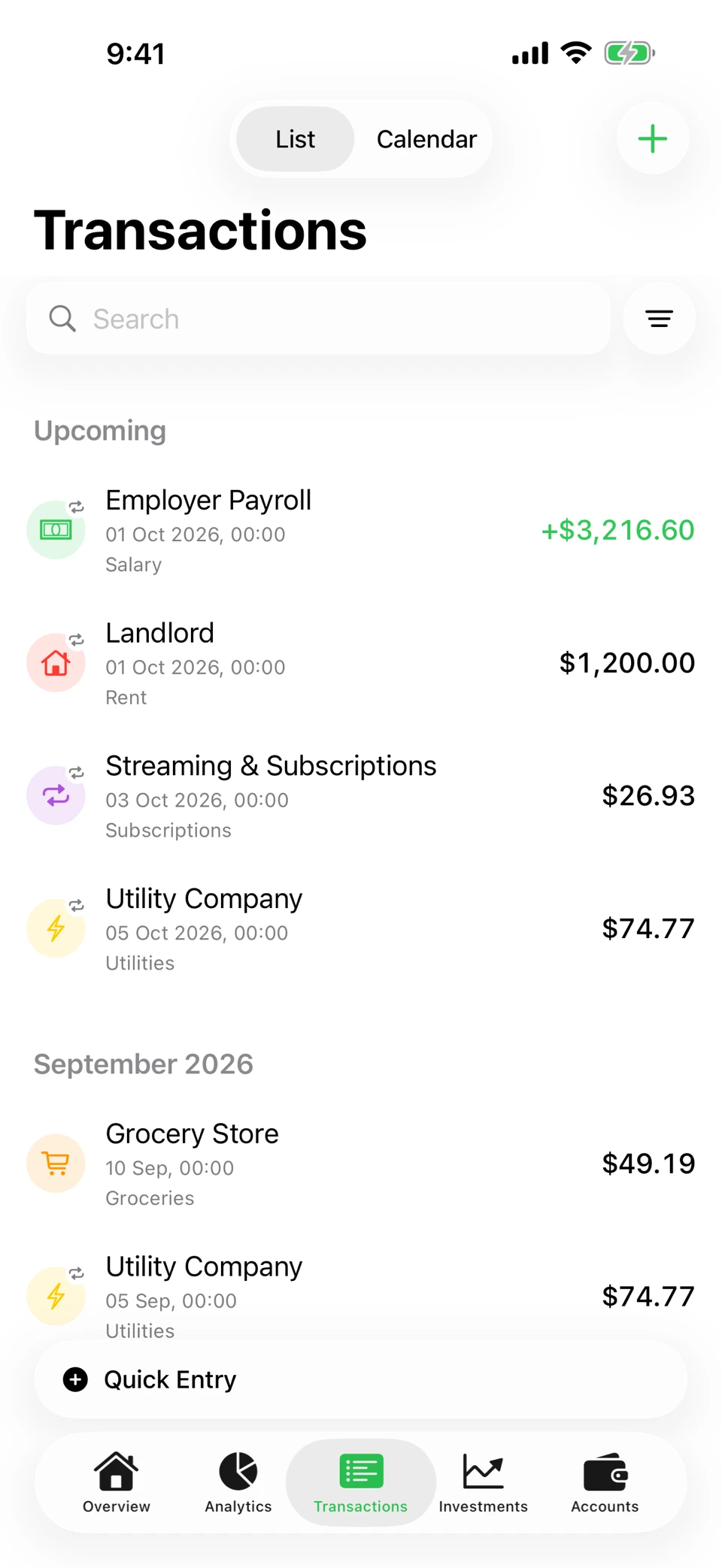
Every transaction has a category, and categories are what the rest of the app reasons about. Recurring payments — rent, a salary, a subscription — are recorded once as a series, appear under Upcoming before they are due, and can remind you on the day.
Budgets, and what’s coming
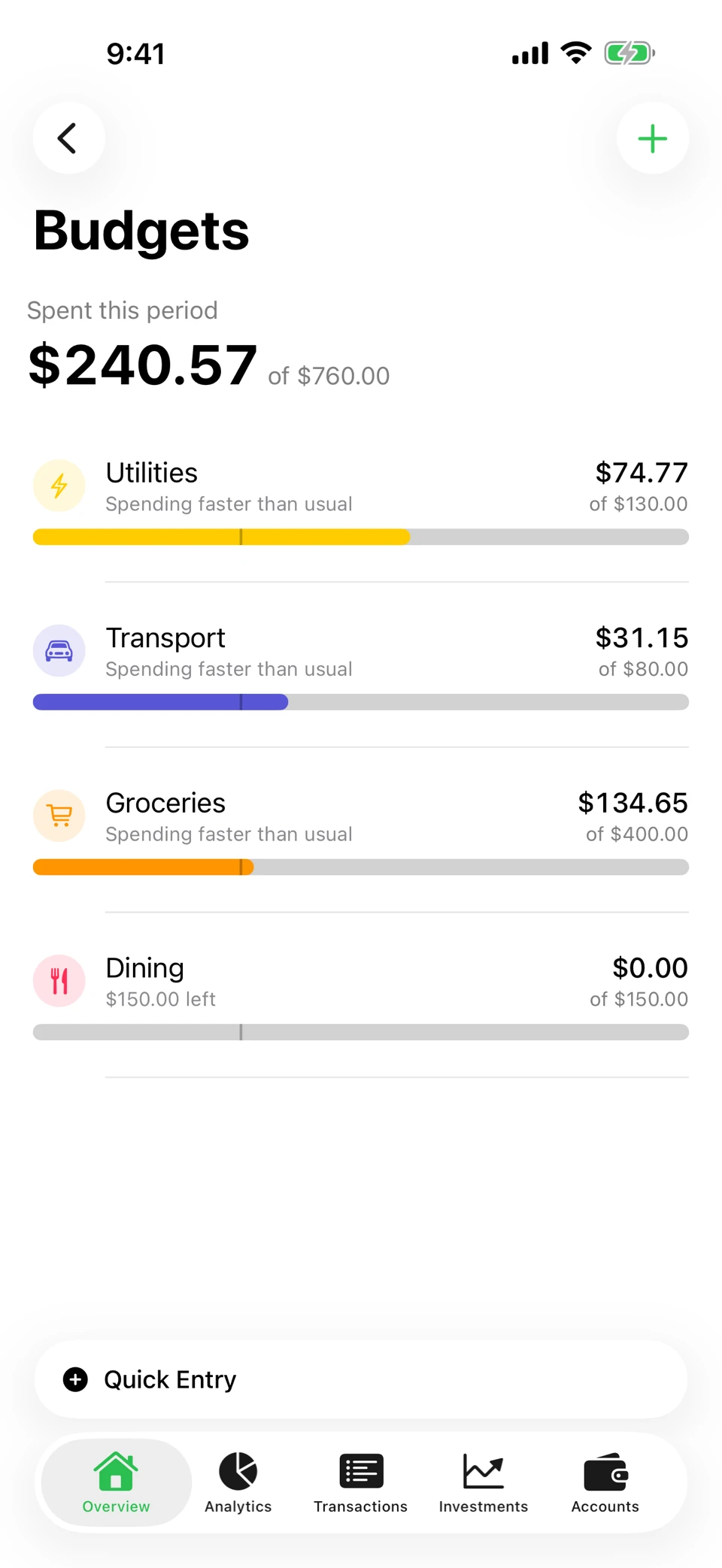
A budget is set per category and per period. Arrel shows what is spent against it, what is left, and warns you before you go over rather than after — the point is to change the decision, not to grade it afterwards.
Upcoming and the cash-flow forecast work from the recurring series you have already set up. The forecast walks them forward so you can see the balance you are actually going to have, and it is honest about being a projection of commitments you have told Arrel about, not a prediction.
Today’s Budget spreads recurring income and expenses across their intervals to give you a rolling daily allowance, then carries whatever remains forward from month to month.
Trackers — the trip, not the month
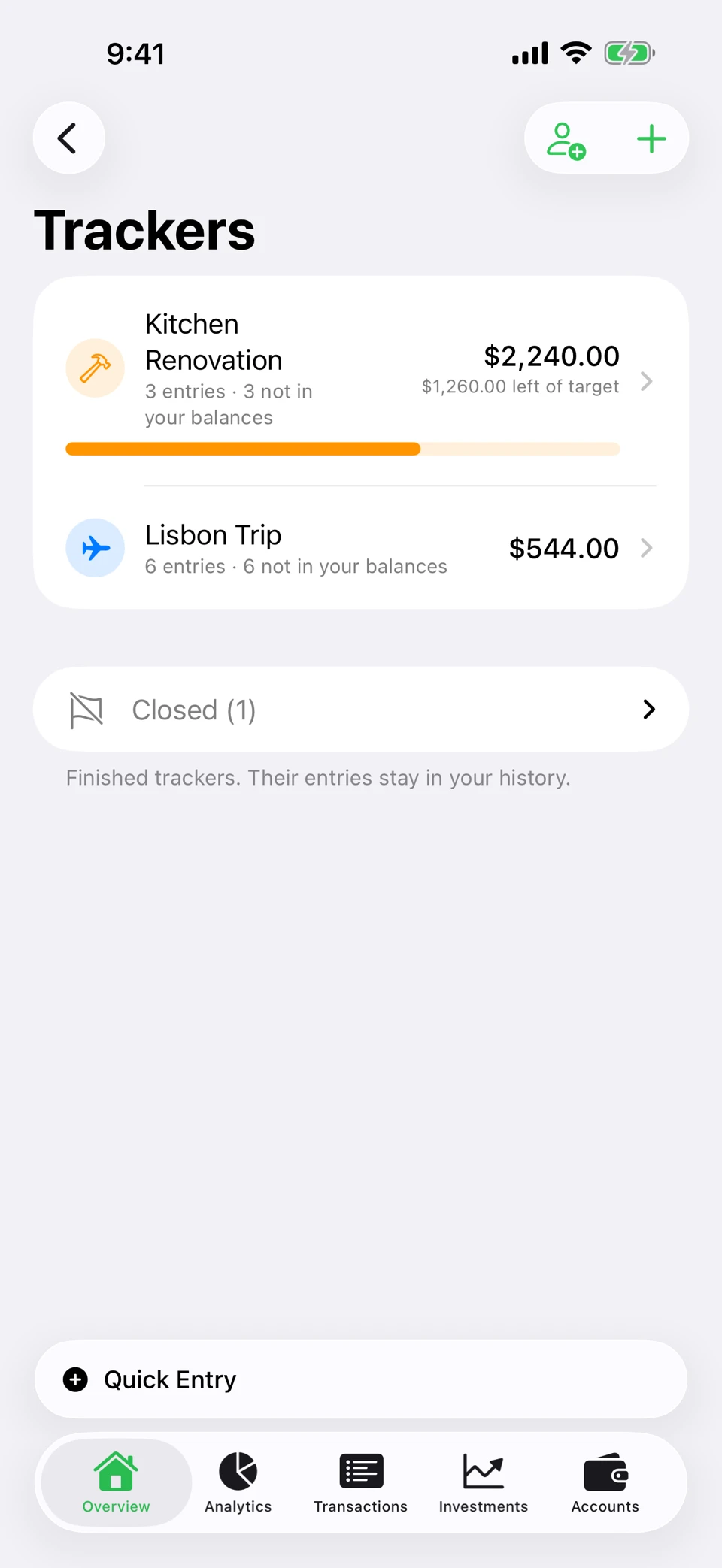
Some spending doesn’t belong to a category or a calendar month. A tracker groups it around the thing itself: a trip, a house move, a phone paid in instalments. Tag transactions into it as you record them, and it keeps a running total against a target for as long as it takes.
A tracker can hold money that was never yours. “Ana paid for the taxi” belongs to the trip but not to your ledger, so an entry someone else paid is recorded without ever touching your accounts or your balances.
Share one with the people on it and everyone adds what they paid. Only the host needs Premium — the people you invite join free. Both sides need an account, because a shared tracker is the one part of Arrel that has to pass through a server.
Everything you own, in the same picture
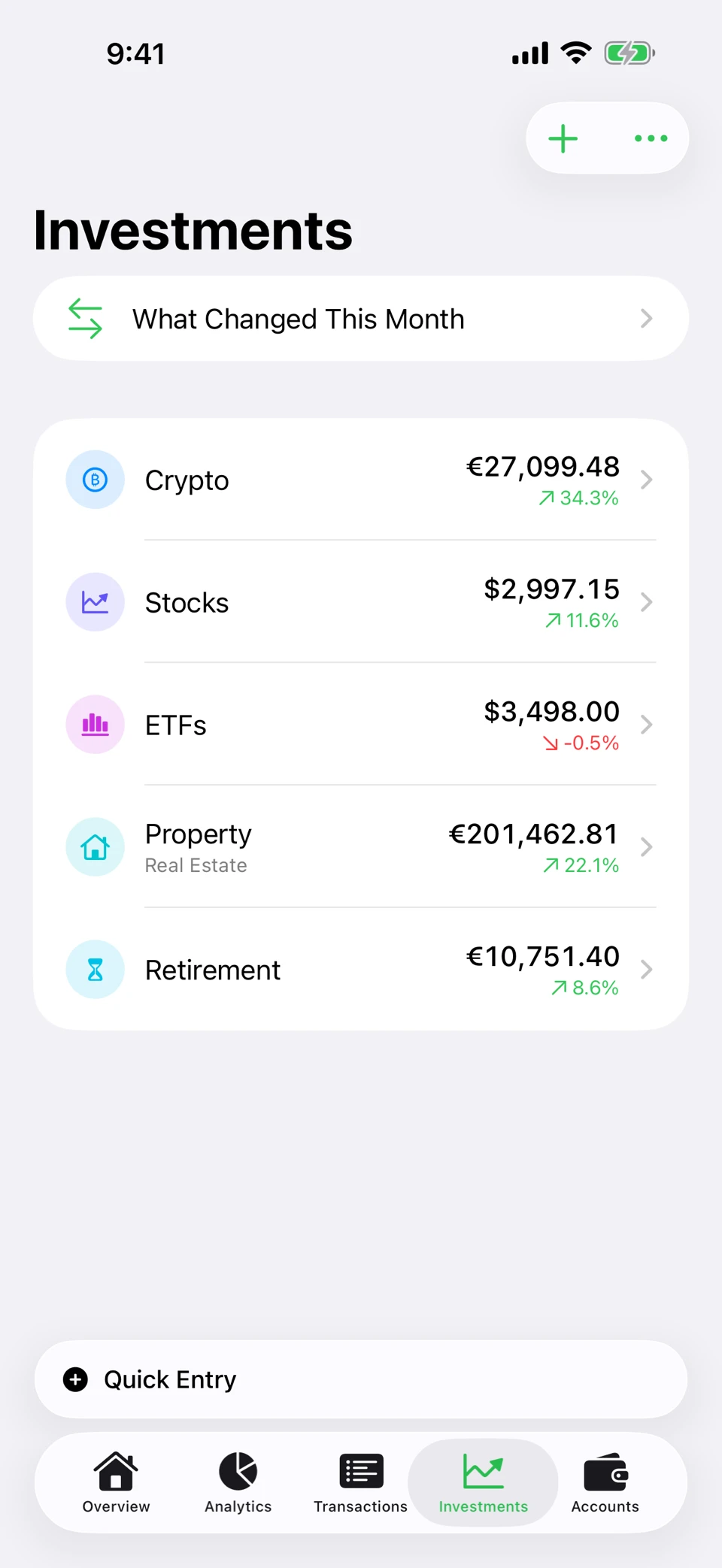
Most finance apps stop at your bank account. Arrel treats investments as part of the same net worth: crypto, stocks and ETFs, funds, precious metals, property, collectibles, pensions, and savings or bonds.
Each holding carries an average-cost basis, tracked as you buy and sell, and a full per-asset history so you can see how it got to where it is. Valuations are yours to enter and always free to enter by hand; with Premium, Arrel can fetch today’s price for crypto, stocks and ETFs when you tap to refresh. That request carries the tickers and nothing else — never your holdings, never how much of anything you have.
Seeing all of it at once
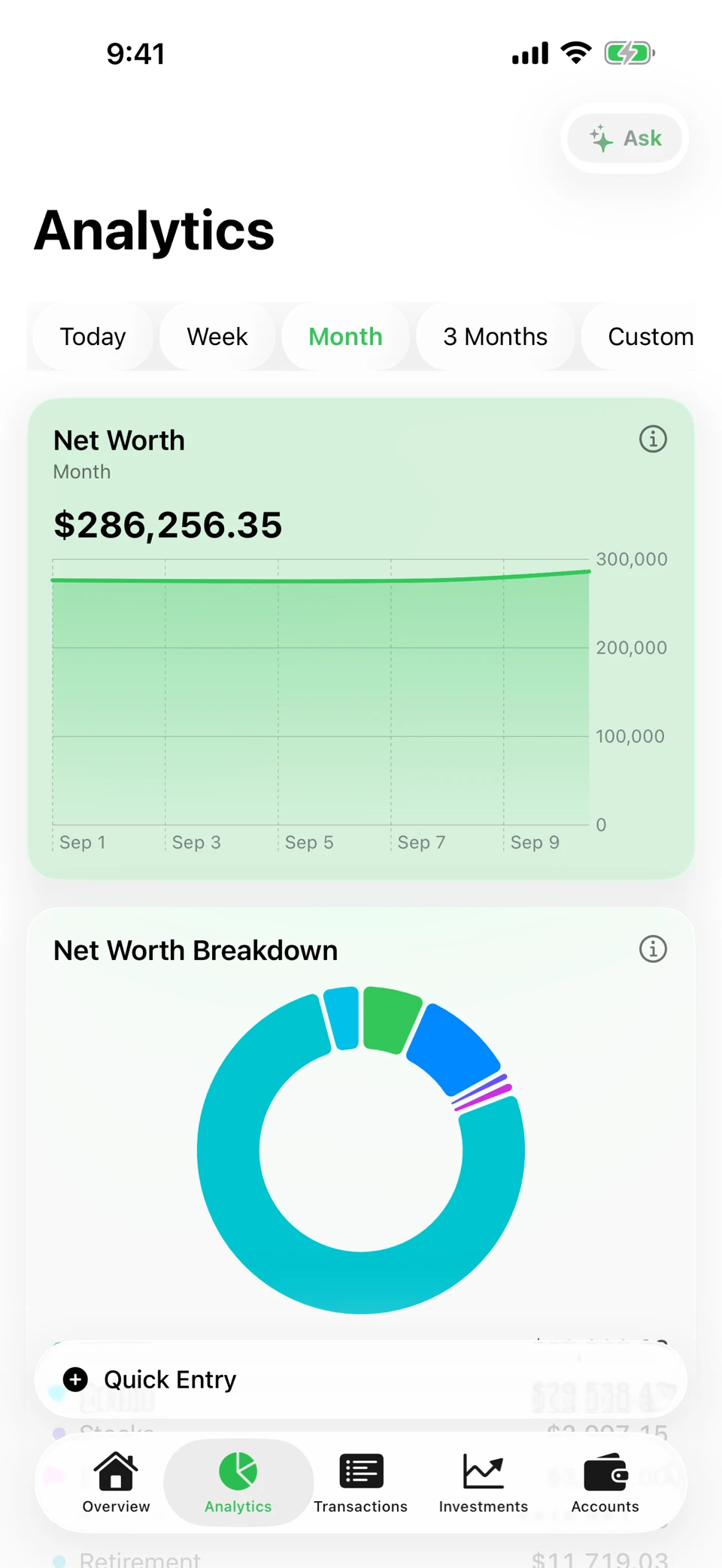
Analytics puts net worth over time, income against expenses, spending by category and a spending calendar in one place, over the period you choose. Accounts in different currencies are converted with published exchange rates so a single total means something.
Every figure is computed on your device from what you entered. On supported devices, optional Apple Intelligence can interpret a question about those figures, improve a spending summary or help categorise an imported transaction. The model runs on device; it does not decide the arithmetic and Arrel sends none of that data to us, Apple or another model provider.
Yours, on your terms
CSV import from a bank statement, and CSV export of everything, free forever and regardless of subscription. PDF reports for any period, for a printout or an accountant. A home screen widget and a read-only Apple Watch app for the glance. Face ID, Touch ID or a passcode to lock the app.
Sync between your own devices is optional and takes an account. Without one, Arrel never sends your financial data anywhere at all.
What’s free, and what isn’t
Free
Everything you need to start
- Unlimited income & expense tracking
- 1 account
- 1 investment portfolio
- 2 budgets
- 2 recurring payments
- 1 open tracker — closed ones never count
- 90 days of analytics history
- Free CSV export, always
Premium
For everything beyond the free limits
- Unlimited accounts, portfolios, budgets, recurring payments and trackers
- Full analytics history, and any custom date range
- Accounts in more than one currency
- Shared trackers — the people you invite join free
- Live prices for crypto, stocks and ETFs
- Cash-flow forecast and low balance alerts
- PDF reports and alternate app icons
- 7-day free trial on the annual plan
Prices vary by country and are set by the App Store — see the exact price for your storefront before you buy.
What you need
iPhone, iPad or Apple Watch, on iOS 18 or later. The Apple Watch app is read-only — it shows this month’s spending, recent movements and your budgets, and recording stays on the phone.
There is no Android app and no Mac app.
Try it
Free to use, no account needed to start.